Debug Mode
Please select English language first so that the error message also appears in English.
If error messages appear in the forum, it is often helpful to enable debug mode to get more detailed error messages. These error messages can then be posted in the forum to make it easier to identify the cause.
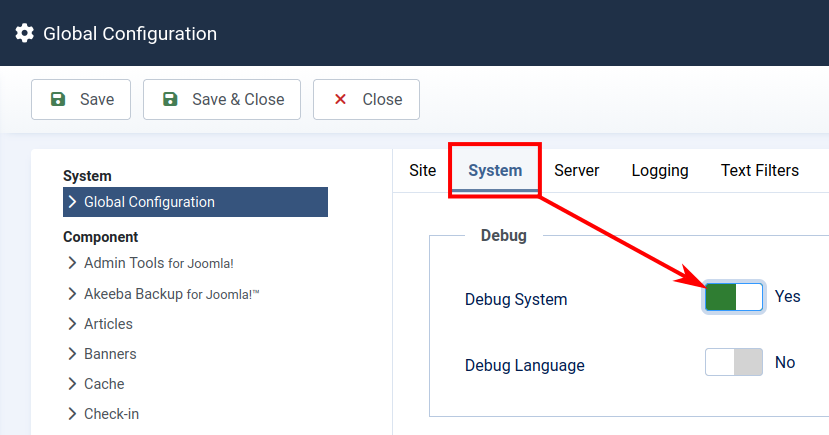
- First, go to Joomla Global Configuration -> System tab -> Debug System = Yes
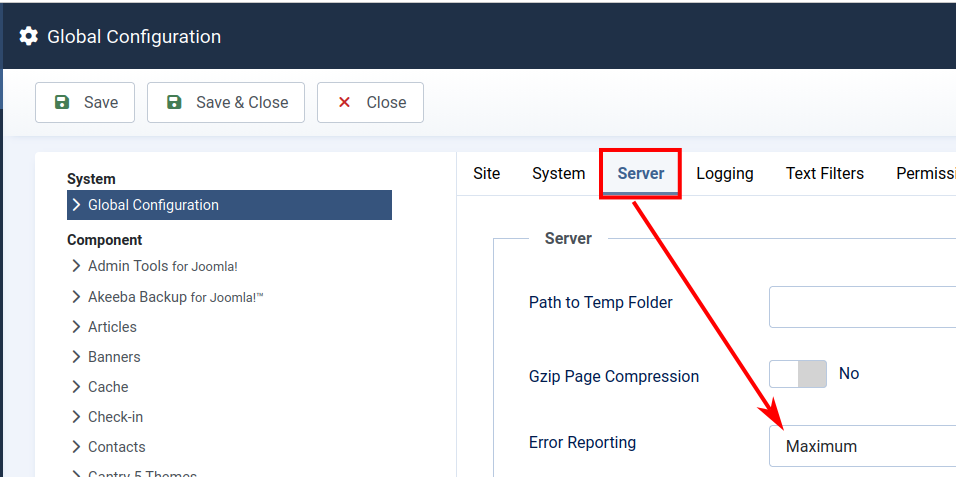
- Joomla Global Configuration -> Server tab -> Error Reporting = Maximum
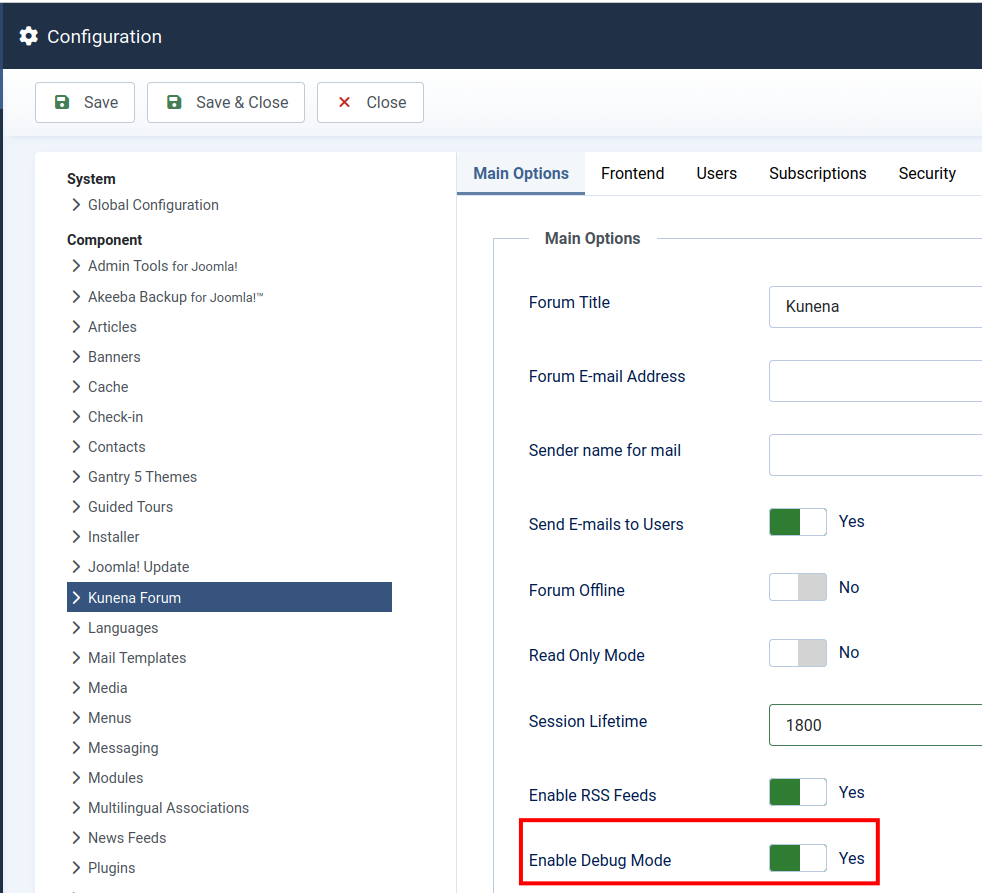
- Go to the Kunena Configuration -> Main Options tab and enable the debug mode as well
- Then visit the page and repeat the action where the error occurs, and post the error message along with a description of your problem in the forum.
Finally, don’t forget to reset these settings to their defaults. Debug mode should only be enabled to find errors.