Uninstall K7.x
Starting with the Kunena 7.x series, the uninstallation process has been adapted to match Joomla’s, so that Kunena 7.x is completely uninstalled via the Joomla Extension Manager.
Warning: This process will completely remove Kunena, including all associated database tables!
-
First, create a backup of your website!
-
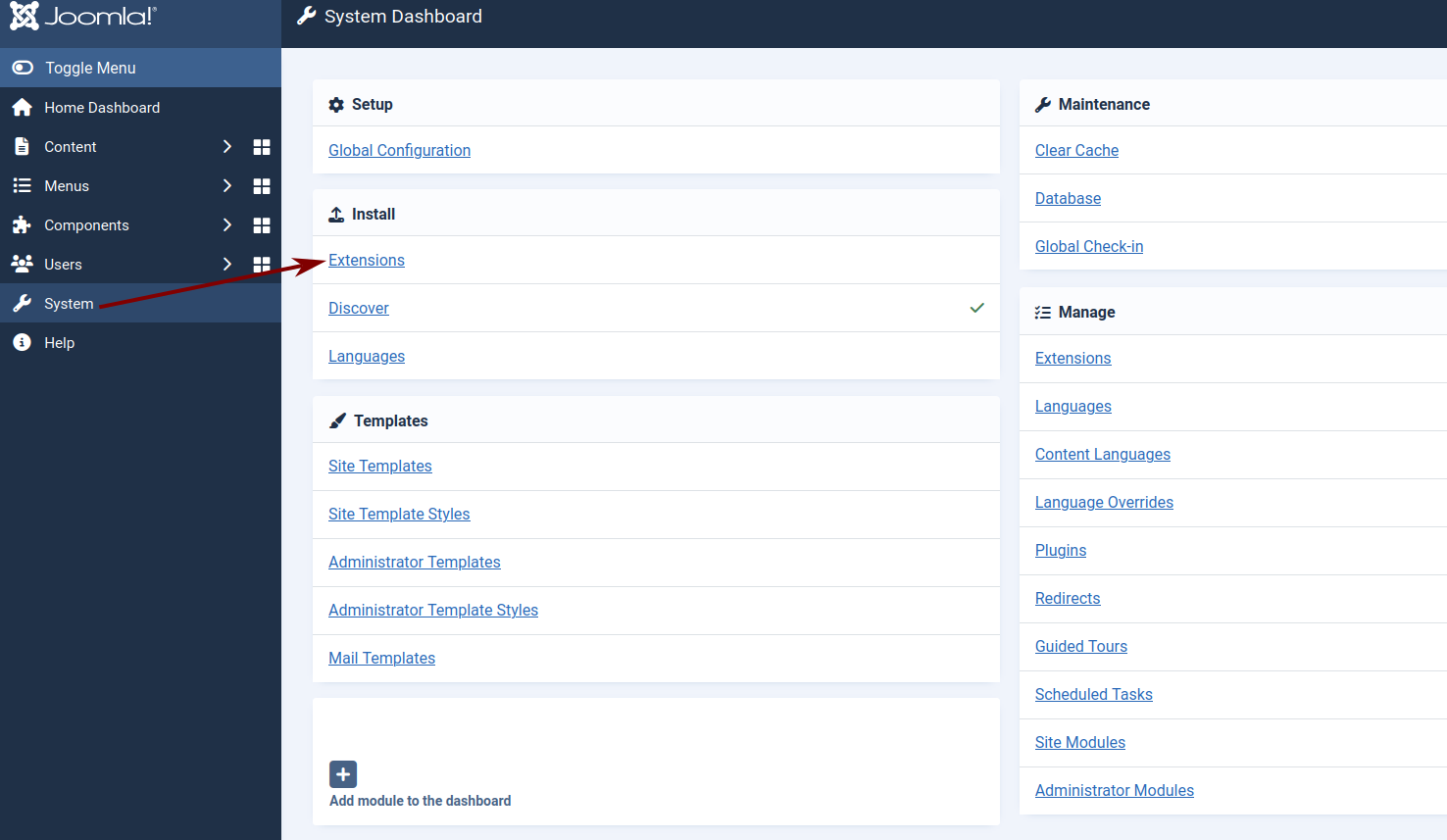
Go to System -> Extensions
-
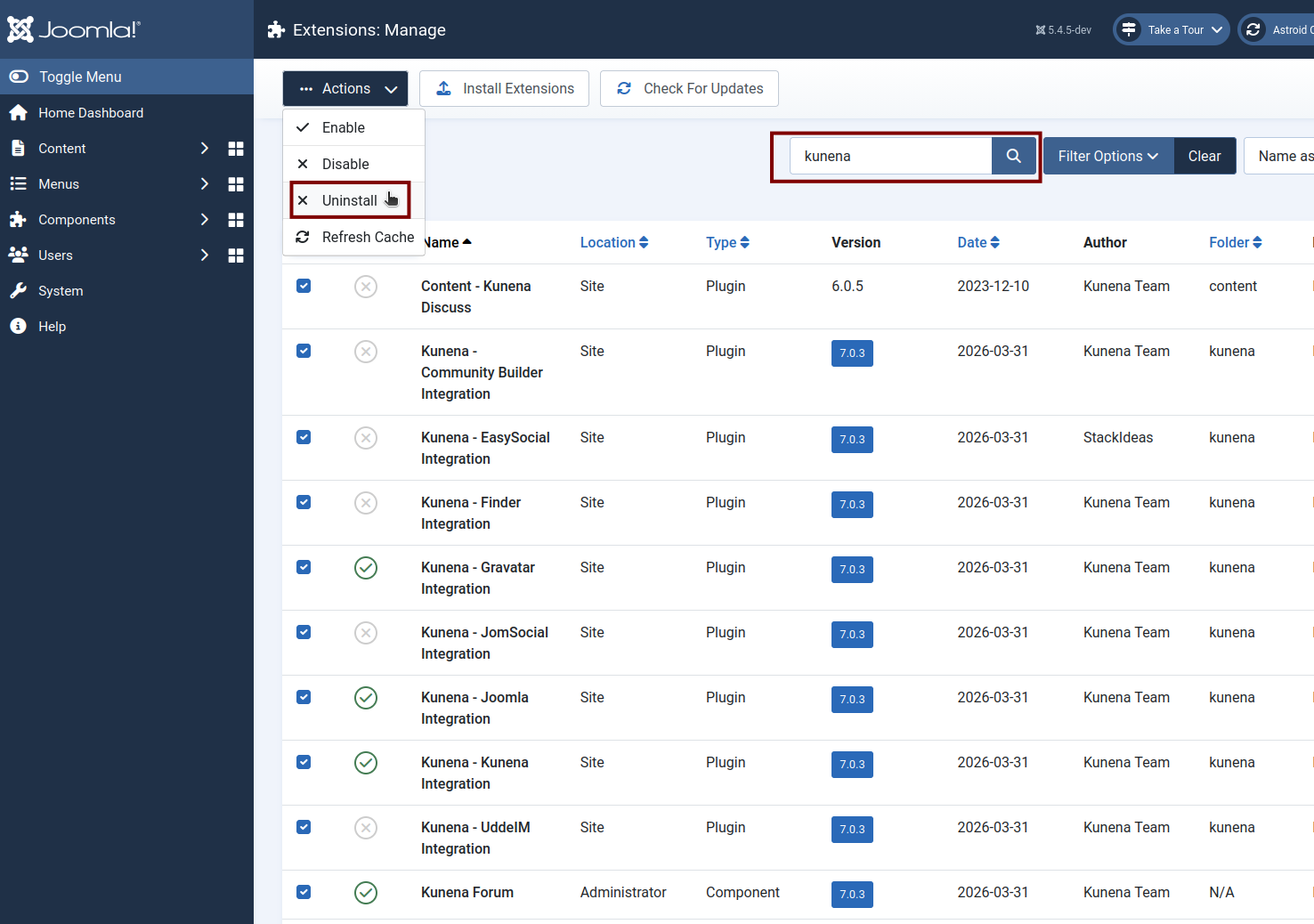
Search for the keyword “Kunena”
-
Select all from Kunena
-
Uninstall Kunena
If you plan to reinstall Kunena at a later date, it is advisable to back up all Kunena tables as well as the /media/kunena directory. This will allow you to restore the forum.